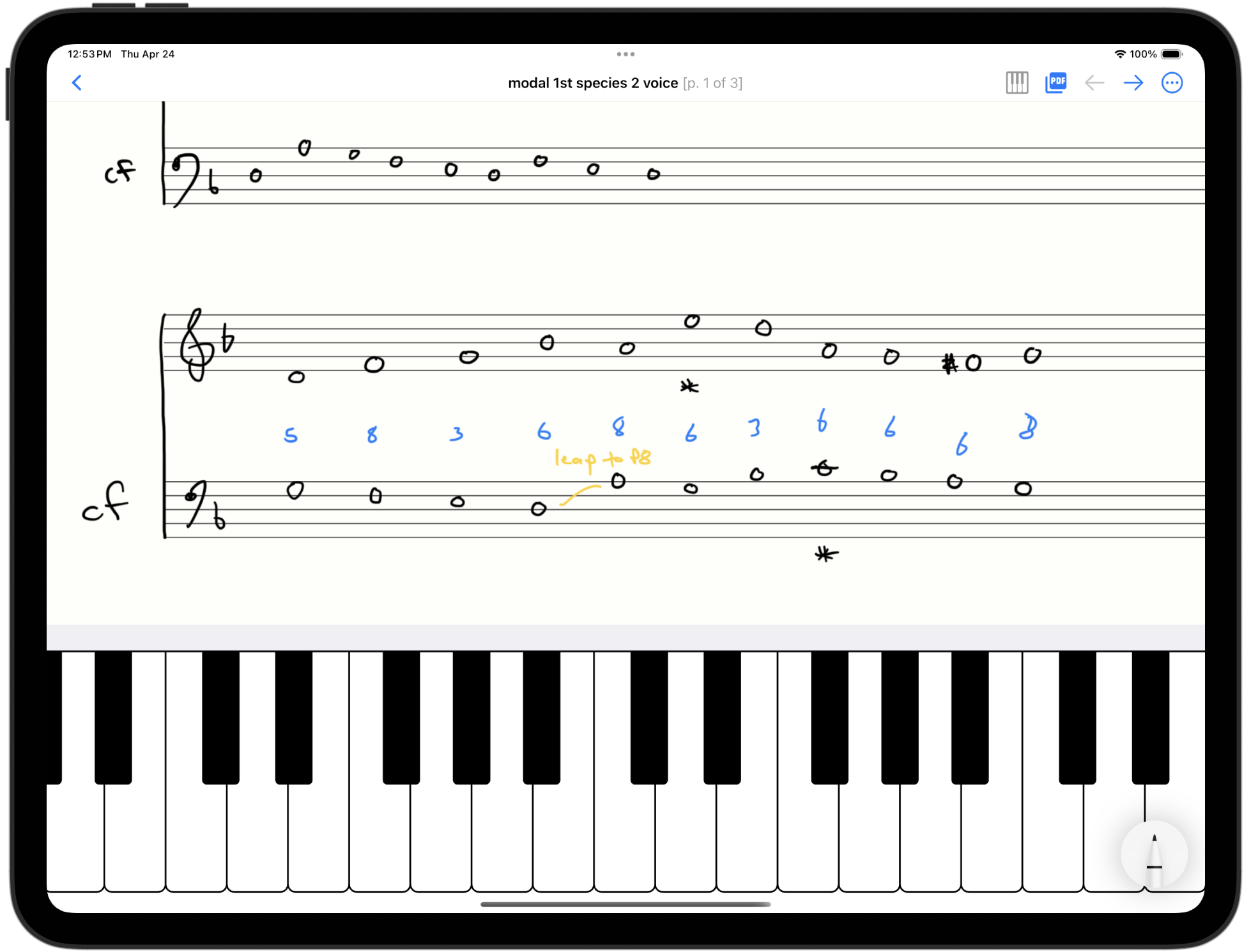
New piano keyboard!
We’ve added a piano to StaffPaper in version 1.1.0, which went live this week!
This is a resizeable, scrollable, multi-touch piano, capable of playing as many notes as you have fingers, or as your device supports. (All recent iPad models support 10 finger touch.)
Many composers work at a piano, which allows getting a reference for pitches, to try variations of a line, or to explore the harmony or voice leading. The StaffPaper piano keyboard provides an approximation of this experience when working on the go, without having to go back and forth between apps.
Using the piano
Resize or change the piano register by dragging the top bar (up or down to resize, left/right to scroll).
Use the piano button to show or hide the piano.
Keep in mind
A few quick notes on using the piano keyboard:
- The piano does sound through the speakers when the device is in silent mode. Use headphones or disable silent mode to use the piano.
- The piano is only supported when the app is fullscreen for now. There are some layout constraints we’d have to solve to support the piano in split-view.
- You’ll have to move the tool picker out of the way of the keyboard for now. We hope to have a better way to make these not overlap in the future.
We include a single basic piano sound to keep the app size small. We’ve edited the piano to reduce the high-end a bit to mellow the sound a bit when played through tablet speakers.
Looking forward
Adding the piano builds on the design goal of StaffPaper: to remove barriers, enabling you to stay in a creative flow, and get ideas down on paper quickly, minimizing distractions and context switching.
We hope to add more composition tools in the future, but this is a big step forward for StaffPaper.
Reach out to us by email to share feedback!